CommentSharkStart free

Reply to every fan. Delete every scam.
Automatically.

Set up smart rules that drop product links using simple keyword rules or AI. Runs 24/7 in the background so you never miss a comment.

Free · No credit card · Live in minutes

Built for solo creators, agencies, and brands managing YouTube comments at scale.

Trusted by 4,000+ creators, 4.8M+ comments handled
@fashionista_jane
@fashionista_jane33 min ago

Love this outfit. Where did you get those boots?

18Reply
Product questionMatched your rule, drafted a reply
You
Younow

@fashionista_jane They're linked in my bio! Code SHARK10 gets you 10% off.

Reply

Creators on paid plans save an average of 10+ hours a month with CommentShark.

0+Comments processed
0+Actions automated
0+Creators on board
0+Languages supported
Keeps Fans Coming BackCommenters who get a reply are 2.5x more likely to return.
Works While You Sleep73% of replies go out outside business hours.
Replies Within The HourMedian time from comment to reply: under 30 minutes.

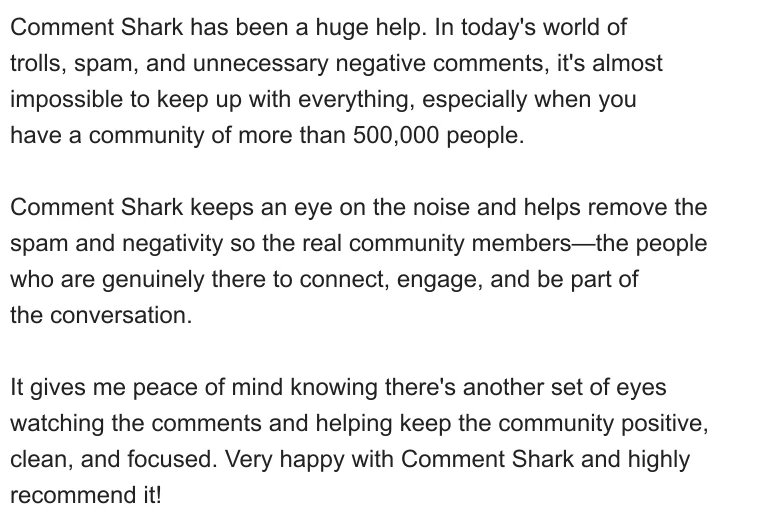
What creators say

from channels of 60k to 800k+ subscribers

I use CommentShark every day. Templated responses are a game changer.

Much better than other well-known Chrome plugins I've used. Fastest way to respond to comments.

I love it so much ... it converts so well. No issues at all, and you're a genius.

I ran it in approval mode for a week, then just let it go. It answers gear questions in my voice before I've even opened the app.

Crypto bots used to hit every upload within minutes. Now they're gone before a single viewer sees them.

Five stars, no notes.

Creator Toolkit

See it work, in seconds

Quick looks at the tools that reply in your voice, clean up your comment section, and show you who your fans really are.

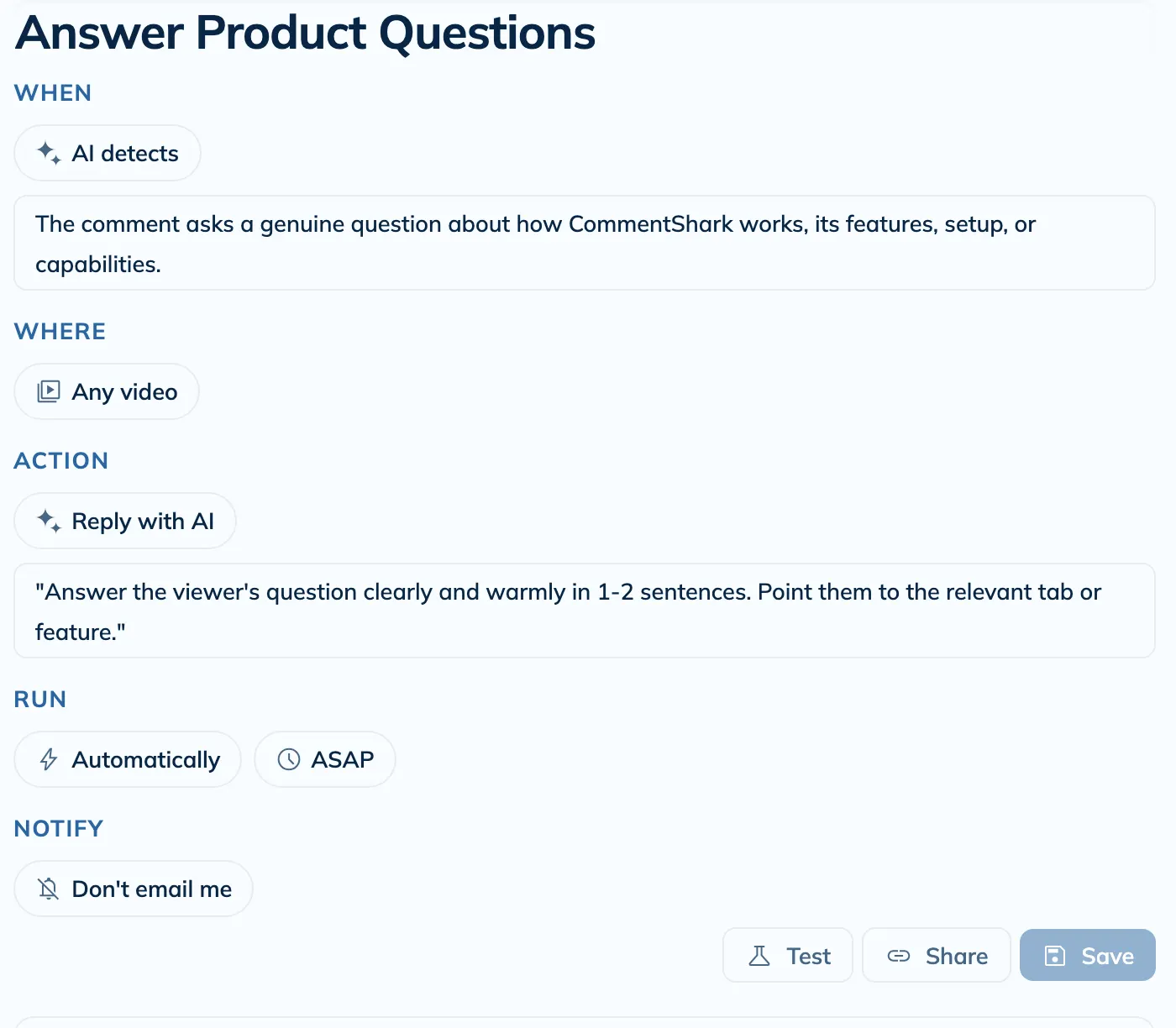
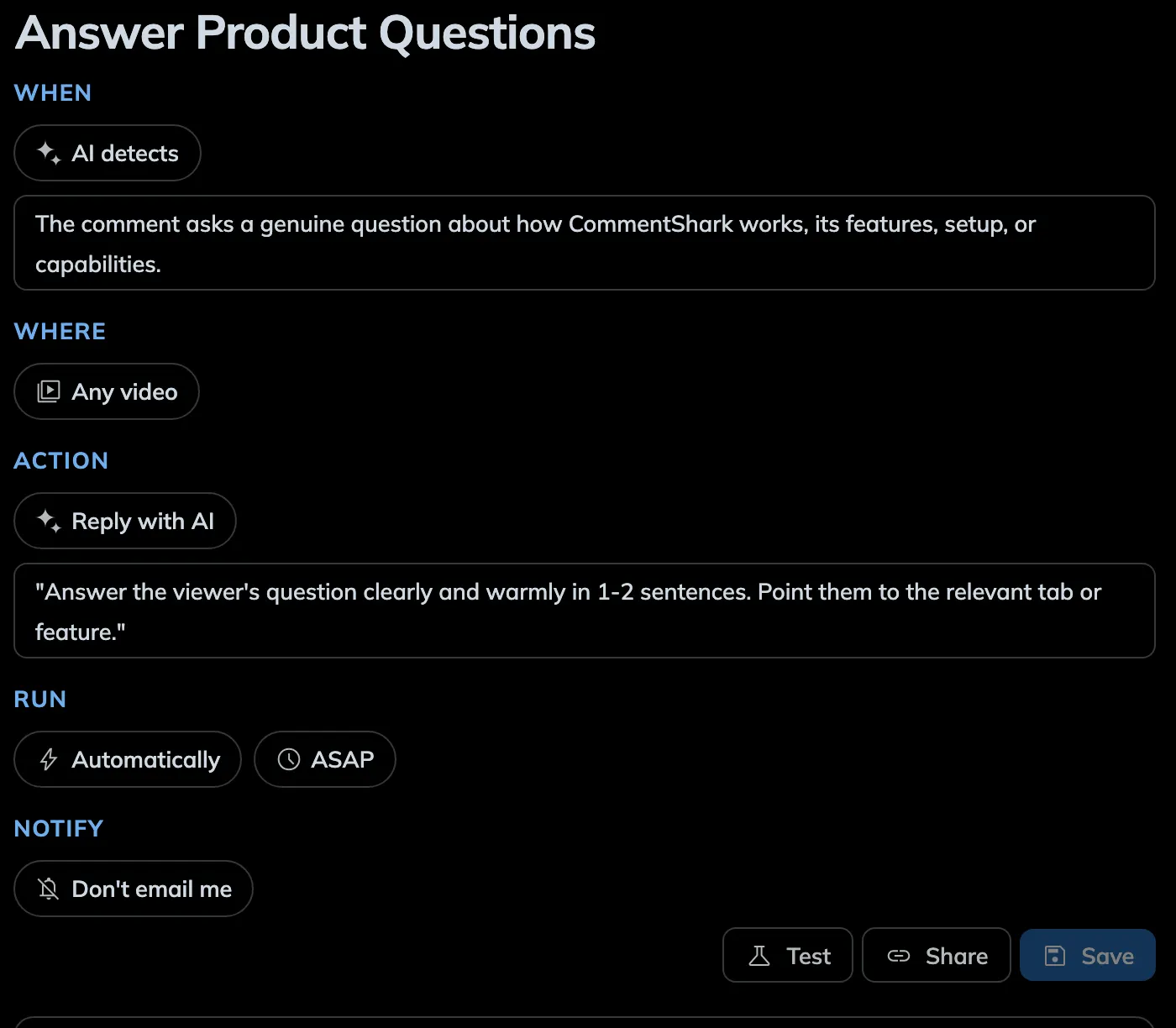
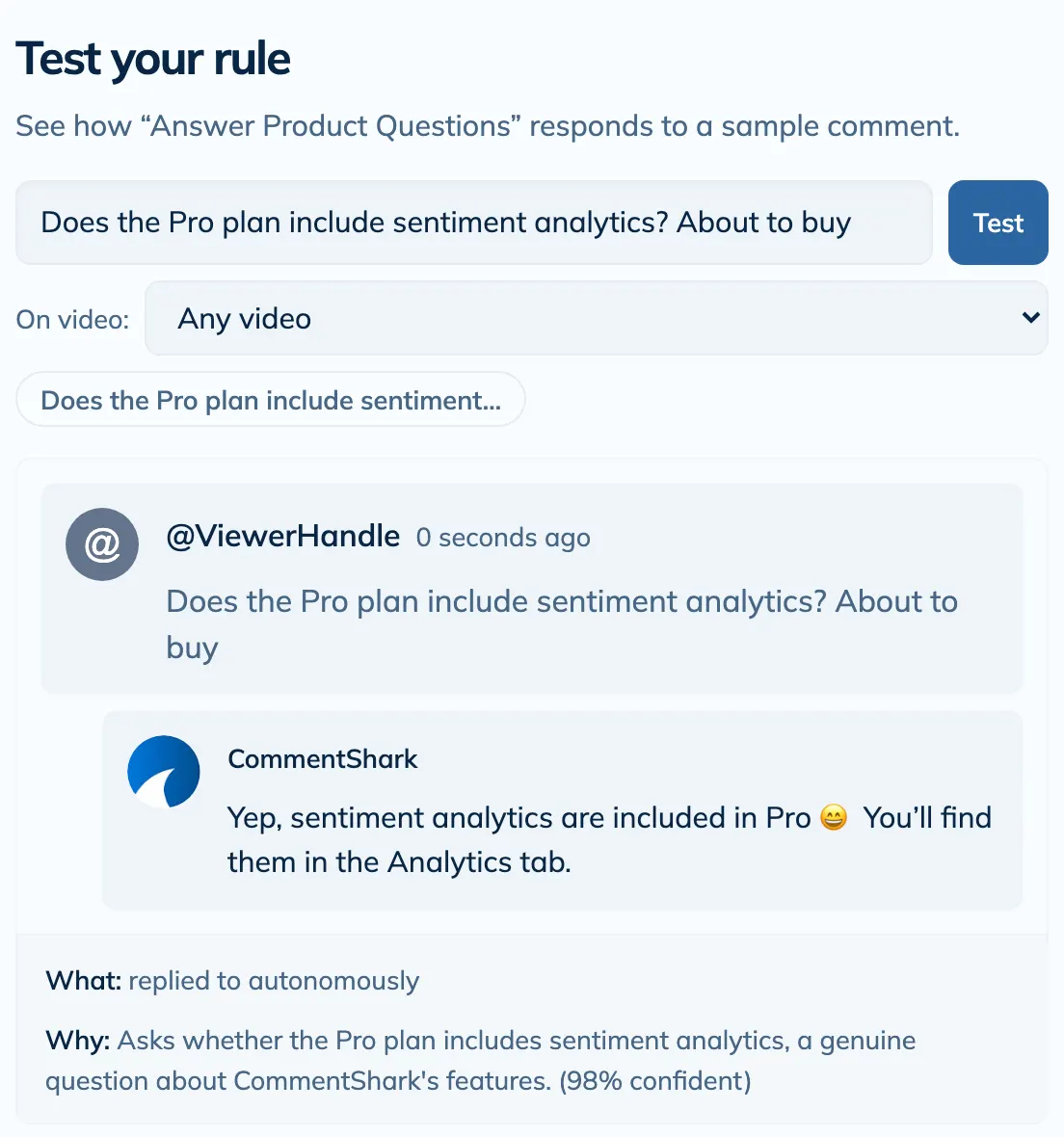
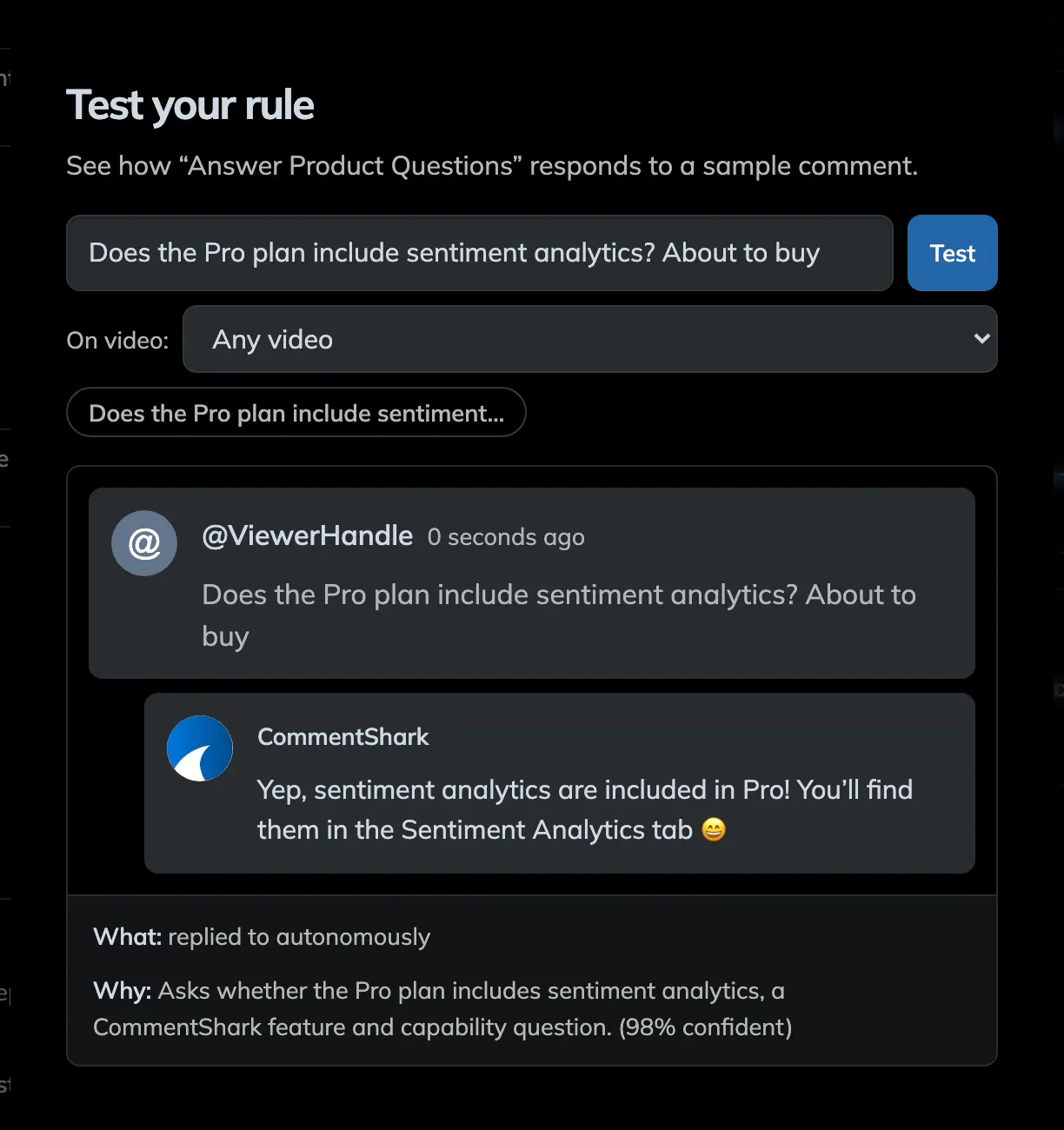
Rules

Build a rule in seconds

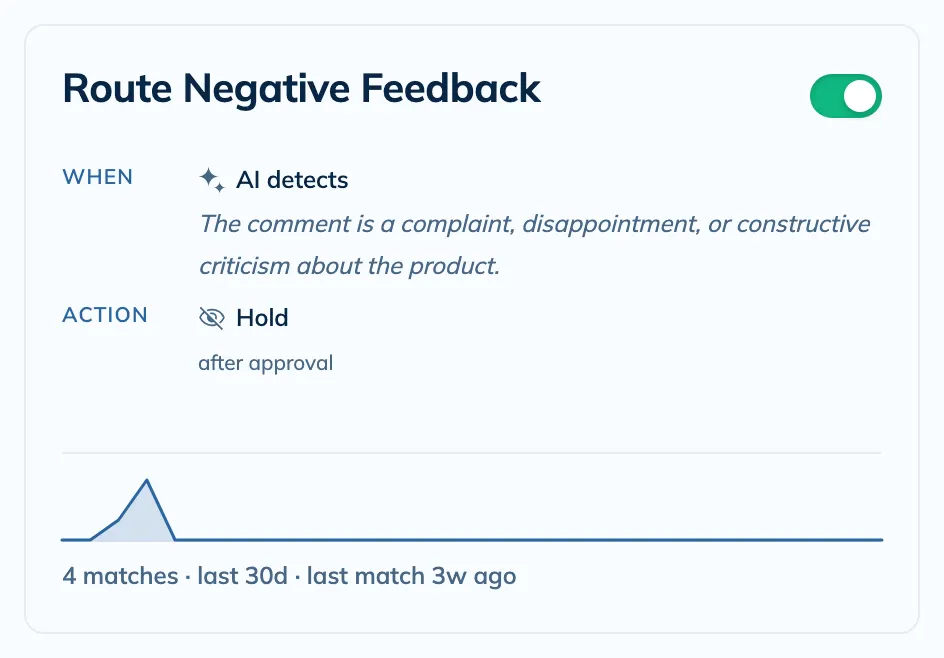
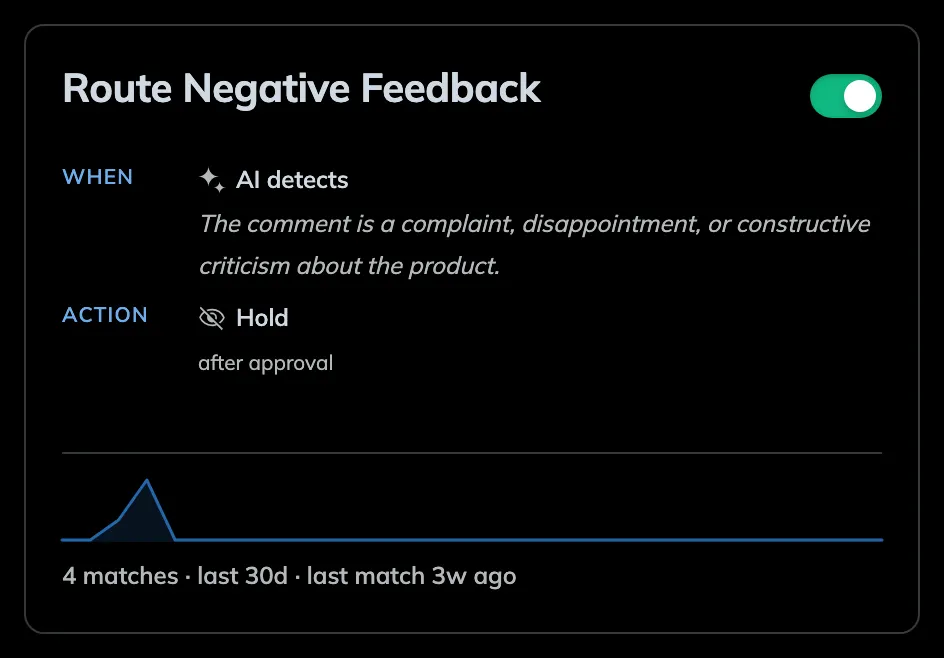
Describe what to catch, pick the action, and dry-run it against your real comments before it ever goes live.

View more
Dashboard

See your whole channel at a glance

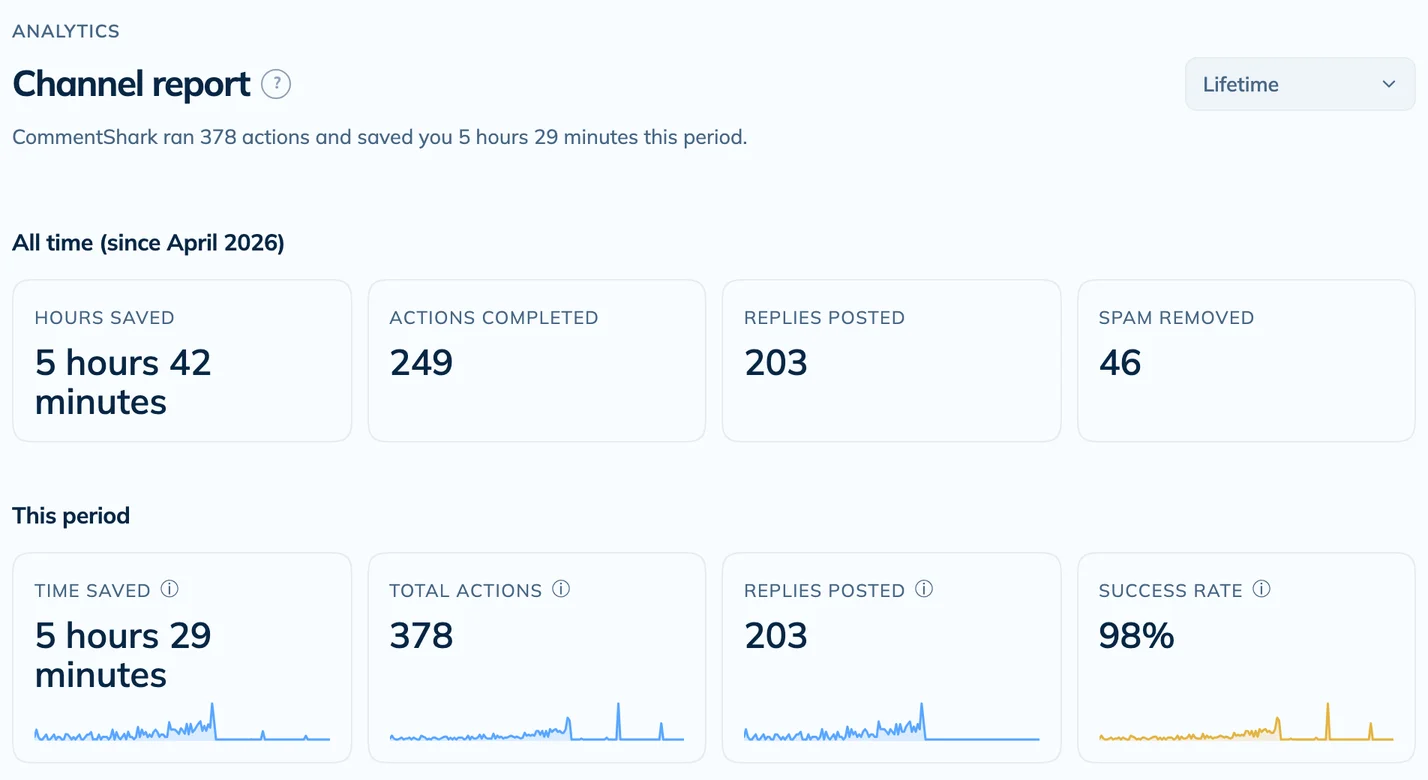
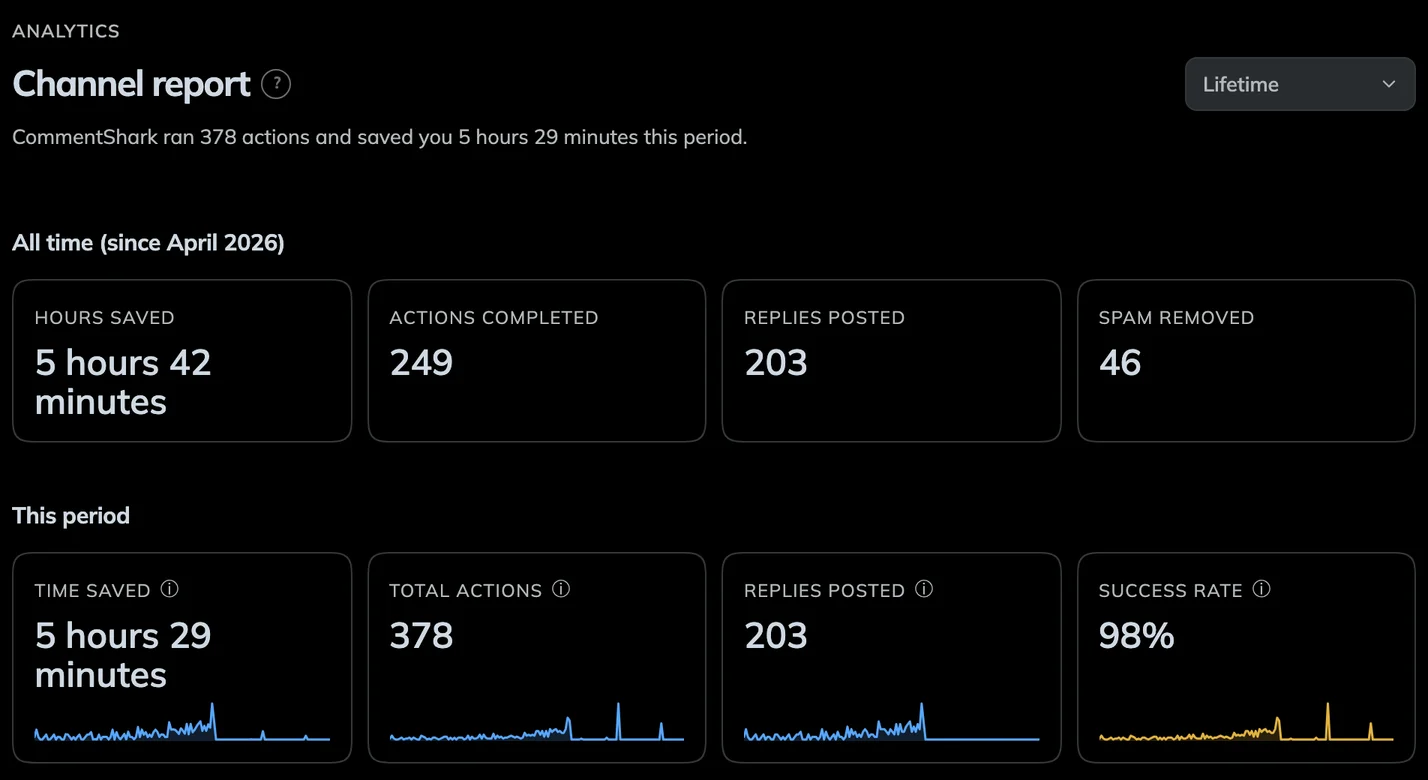
Track actions over time, your top-performing rules, and every reply and removal, all from one live dashboard.

View more
AI Replies

Compose replies that sound like you

One click drafts a response in your voice, learned from your own past replies. Edit it or send it as-is.

View more
Audience

See who keeps coming back

Top commenters, first-timers, and every past conversation with a viewer, all in one place.

View more
Comment inbox

Every comment, sorted for you

Filter your whole comment section by intent and sentiment — questions, buyers, complaints, spam — then reply or moderate without the endless scroll.

View more
Try it yourself

Build a rule in one sentence

Click any highlighted word to see every option. Rotate through the examples or tinker your own. No account needed until you want to save it.

Reward your loyal fans rule
WhenIf  Where on Action Run. Do this Notify and .
Click any highlighted word to customize this ruleSign up to save this rule →
Review before send

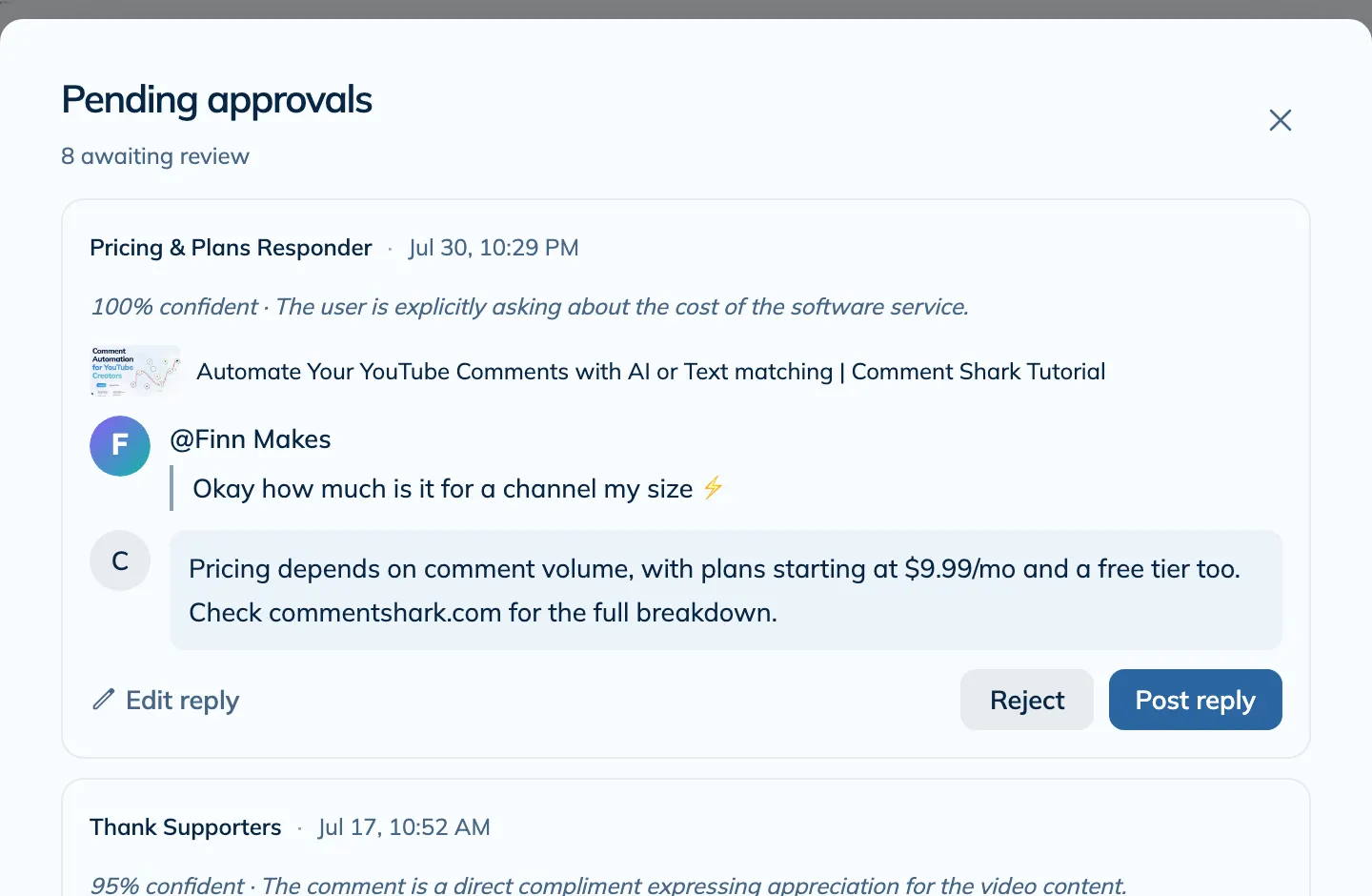
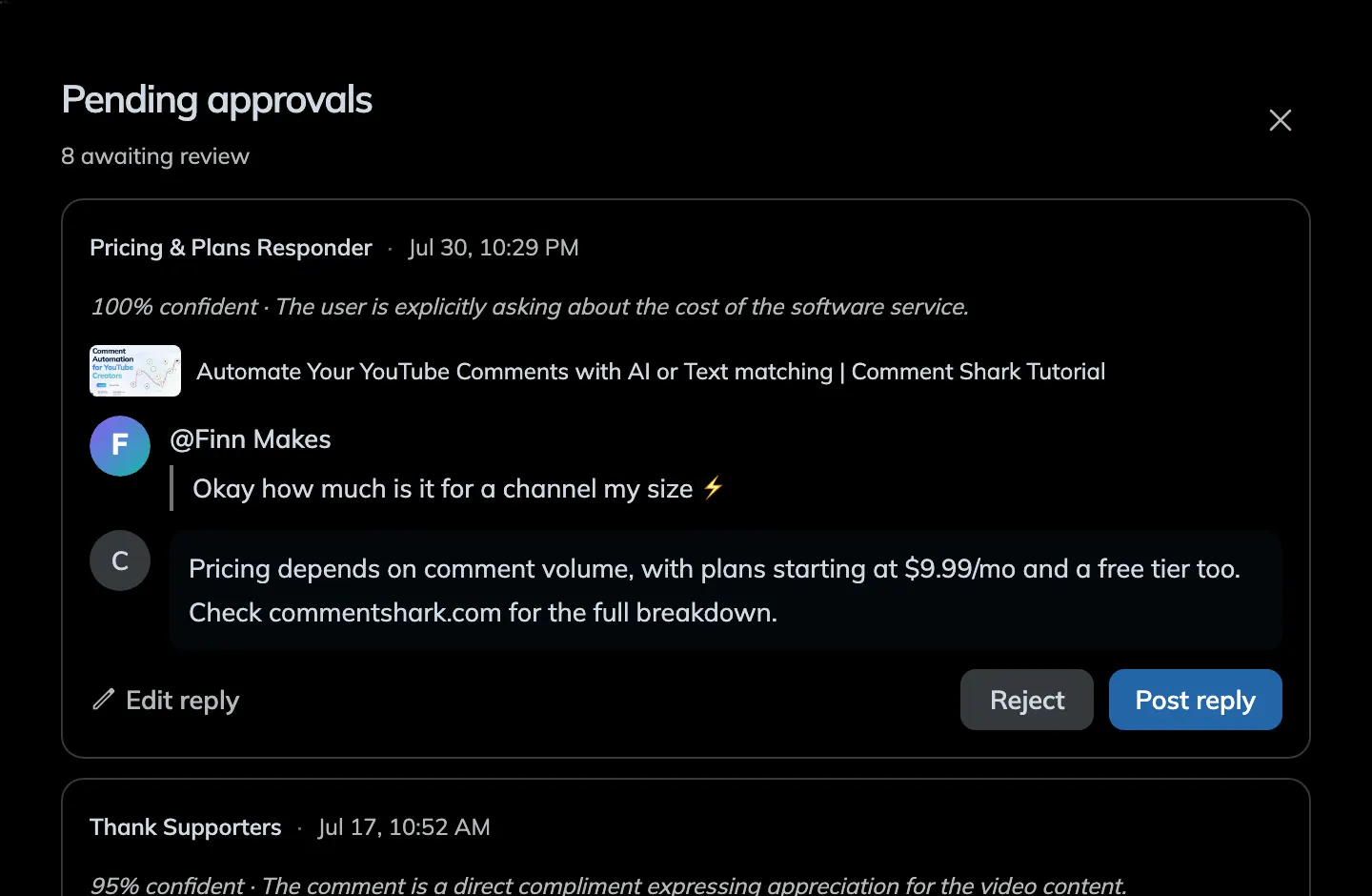
Need some confidence? Try 'needs approval' mode

Every draft action lands in a review queue. Approve, tweak, or reject with one click, so nothing goes out without your say-so.

Approve in the app

Skim the queue on the dashboard and clear it in a tap.

Approve from your inbox

Turn on Email to Approve and act on each draft right from the email.

By hand vs. CommentShark

The same work, without you doing it

Doing it by hand

  • Replies go out hours or days late, if at all
  • You scroll and delete spam by hand, forever
  • Evenings disappear into the comment inbox
  • Buyers and superfans get buried in the noise
  • Comments pile up while you sleep

With CommentShark

  • Fans get a reply within the hour, day or night
  • Spam is hidden before a single viewer sees it
  • You get 10+ hours back every month
  • Buyers and superfans get flagged for you
  • It keeps working 24/7, even while you sleep

Pricing that scales with your channel

Start free, upgrade when your community grows. No credit card required to begin.

Free
$0
  • 3 rules
  • 20 actions/mo
  • Templated replies
Starter
$19/mo
  • 10 rules
  • 250 actions/mo
  • AI replies + classification
Most PopularCreator
$49/mo
  • 25 rules
  • 1,250 actions/mo
  • AI replies + classification
Pro
$139/mo
  • 50 rules
  • 5,000 actions/mo
  • Priority support

Custom team plans also available.

Zero risk

Try it with nothing to lose

Free to start

20 actions a month on the free plan. No credit card, no trial timer.

You stay in control

Approve every reply until you trust it. Then let it run on its own.

Your channel stays yours

Secure Google sign-in. Revoke access in one click, whenever you want.

Cancel anytime

No contracts. Month to month. Leave whenever you like.

See it on your channel

Sign in with Google and watch it work on your real comments today.

Start free

Free · No credit card · Live in minutes

Frequently Asked Questions

Is it safe?
+
Absolutely. We use official YouTube APIs and OAuth 2.0 for secure authentication. We only request the permissions necessary to manage your comments. We don't store your password, and you can revoke access at any time via your Google Account settings. See more at our Terms of Service.
Can I review replies before they are sent?
+
Yes! You can choose between Autonomous mode (replies are posted immediately) or Approval Required mode. In Approval Required mode, all AI-generated replies go to a queue where you can edit, approve, or reject them before they go live.
How does the AI reply generation work?
+
We use advanced AI models to analyze the sentiment and context of each comment. You can set custom instructions (e.g., "Be polite and grateful" or "Answer as a pirate") or use our smart templates. The AI generates a unique, personalized response that sounds like you. It learns from your previous replies to provide more natural responses, and you can provide more context to the AI to help it generate more accurate responses.
What happens if I hit my monthly limit?
+
If you reach your monthly limit for comment actions, the system will pause sending replies until your next billing cycle or until you upgrade your plan. You'll be notified so you never miss a beat.
See all 31 FAQs →

Latest from Our Blog

Learn strategies, tips, and best practices for YouTube comment management

One large glowing rounded square facing a cluster of six smaller varied shapes, representing a YouTube specialist tool versus multi-platform social suites

CommentShark vs NapoleonCat for YouTube Comments (2026)

A NapoleonCat alternative for YouTube creators. Verified July 2026 pricing and a feature-by-feature comparison of AI replies, moderation rules, and approval queues.

Jul 6, 202611 min read
Dashboard showing YouTube comment management tools and analytics

CommentShark vs TubeBuddy for YouTube Comments (2026)

TubeBuddy is a great growth toolkit but a thin comment tool. Verified July 2026 pricing and what TubeBuddy's comment features actually do versus CommentShark.

Jul 6, 202610 min read
A single circle splitting into three paths ending in three differently colored circles, representing choosing a comment tool by creator type

CommentShark vs vidIQ for YouTube Comments (2026)

vidIQ is a research powerhouse but read-only toward your channel. Verified July 2026 pricing and how vidIQ's comment features compare to CommentShark.

Jul 6, 20269 min read
Abstract geometric network representing multi-channel YouTube comment automation for teams and agencies

CommentShark vs Statusbrew for YouTube Comments (2026)

Statusbrew is an enterprise social suite; CommentShark is a YouTube comment specialist priced for creators. Verified July 2026 pricing and a feature comparison.

Jul 6, 202610 min read
View All Articles →

Your comment section, handled.

Set up your first rule in under a minute. CommentShark takes it from there, 24/7.

Start free

Free plan: 20 actions/mo, no credit card required