
If your channel or product depends on comment operations, you need deterministic retrieval. UI-only workflows are not enough for auditing, analytics, and repeatable moderation systems. The commentThreads.list endpoint is the backbone of any serious YouTube comment pipeline, and getting it right means understanding its parameters, quota costs, pagination behavior, and failure modes in detail.
Quick answer: use commentThreads.list with part=snippet,replies, paginate with nextPageToken, store the raw JSON payload alongside normalized records, and build post-fetch filters for date, user, and policy state. Budget 1 quota unit per call and design for the 10,000 daily quota ceiling.
Primary API References
Before diving into implementation, bookmark the official docs you will reference constantly: commentThreads.list for top-level threads, comments.list for fetching reply pages beyond the initial five, and the comments implementation guide for YouTube's own best-practice patterns. Everything in this guide builds directly on those references.
Understanding commentThreads.list Parameters
The endpoint accepts several parameters that control what data you get back and how it is scoped. Getting these right from the start saves you from quota waste and incomplete data. Here is a typical request:
GET https://www.googleapis.com/youtube/v3/commentThreads
  ?part=snippet,replies
  &videoId=dQw4w9WgXcQ
  &maxResults=100
  &order=time
  &textFormat=plainText
  &key=YOUR_API_KEY
Let's break down every parameter that matters:
part (required) — Controls which resource properties are included in the response. The two values you will almost always use are snippet and replies. Using part=snippet gives you the top-level comment data (author, text, timestamps, like count). Adding replies includes up to five reply comments inline. Using part=id alone returns only comment thread IDs, which costs the same quota but is useful for existence checks. Important: every part value you add increases response size but does not change the quota cost for this endpoint — commentThreads.list always costs 1 unit per call regardless of parts requested.
videoId — Scope retrieval to a single video. This is the most common filter. You cannot combine videoId with channelId or allThreadsRelatedToChannelId in the same request. Example: videoId=dQw4w9WgXcQ.
allThreadsRelatedToChannelId — Returns comment threads across all of a channel's videos plus comments on the channel's discussion tab. This is the parameter you want for channel-wide sync operations. Note that this requires OAuth authentication with the channel owner's credentials — it will not work with just an API key. Example: allThreadsRelatedToChannelId=UCxxxxxxxxxxxxxxxx.
maxResults — Integer between 1 and 100. Always set this to 100 for bulk retrieval to minimize the number of API calls and quota spend. Default is 20 if omitted, which means you burn 5x more quota to fetch the same data.
order — Either time (newest first) or relevance (YouTube's ranking). For sync pipelines, always use time so you can reliably detect new comments by comparing timestamps against your last sync checkpoint. The relevance order is non-deterministic and will return different results across calls.
textFormat — Either html (default) or plainText. The HTML format includes YouTube's auto-linking for URLs and timestamps, while plainText strips it. For storage and search indexing, fetch plainText. For display, fetch HTML. Consider storing both or storing raw and converting at render time.
pageToken — The continuation token for pagination. This comes from the nextPageToken field in the previous response. We cover pagination in depth below.
moderationStatus — Filter by heldForReview, likelySpam, or published. Requires OAuth with the channel owner's credentials. Extremely useful for building moderation queues. Default returns only published comments when using an API key.
searchTerms — Server-side search filter. Useful for targeted retrieval but comes with caveats: it only searches within the scope you define (one video or one channel), and matching is basic keyword-based. For complex search needs, fetch all comments and filter locally.
Data Retrieval Architecture
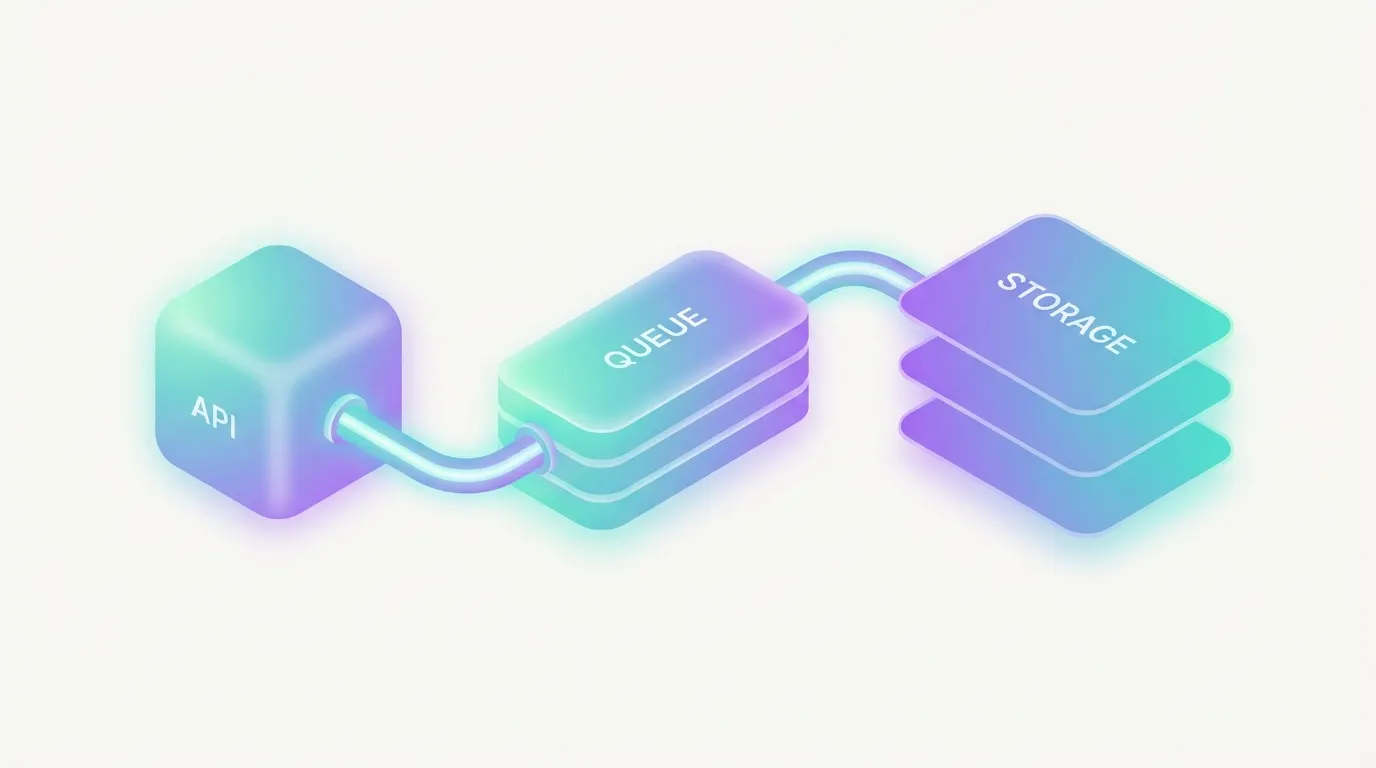
- Fetch comment threads with stable pagination loops using nextPageToken.
- Persist the raw JSON response for audit/debug traceability.
- Normalize into query-friendly tables (comment, author, video, timestamps).
- Apply enrichment for moderation, search, and analytics layers.
A well-structured pipeline separates fetching from processing. Your fetch layer should be a simple loop that pages through results and writes raw responses to storage. A separate processing step then parses, normalizes, and upserts into your database. This separation means you can re-process historical data without re-fetching from the API.
Here is the core pagination loop in pseudocode:
async function fetchAllCommentThreads(videoId: string, apiKey: string) {
  const allThreads = [];
  let pageToken: string | undefined = undefined;

  do {
    const params = new URLSearchParams({
      part: "snippet,replies",
      videoId: videoId,
      maxResults: "100",
      order: "time",
      textFormat: "plainText",
      key: apiKey,
    });

    if (pageToken) {
      params.set("pageToken", pageToken);
    }

    const url = `https://www.googleapis.com/youtube/v3/commentThreads?${params}`;
    const response = await fetch(url);

    if (!response.ok) {
      const error = await response.json();
      throw new Error(
        `API error ${response.status}: ${error.error?.message}`
      );
    }

    const data = await response.json();

    // Store raw response for audit trail
    await storeRawResponse(videoId, data);

    allThreads.push(...data.items);
    pageToken = data.nextPageToken;

  } while (pageToken);

  return allThreads;
}
Anatomy of the API Response
Understanding the response structure is critical for building your data model. Here is what a single commentThread item looks like:
{
  "kind": "youtube#commentThread",
  "id": "UgxKRElzz3JMfe0p4...",
  "snippet": {
    "channelId": "UCxxxxxxxxxxxxxxxx",
    "videoId": "dQw4w9WgXcQ",
    "topLevelComment": {
      "kind": "youtube#comment",
      "id": "UgxKRElzz3JMfe0p4...",
      "snippet": {
        "videoId": "dQw4w9WgXcQ",
        "textDisplay": "Great video, thanks for the tutorial!",
        "textOriginal": "Great video, thanks for the tutorial!",
        "authorDisplayName": "Jane Creator",
        "authorProfileImageUrl": "https://yt3.ggpht.com/...",
        "authorChannelUrl": "http://www.youtube.com/channel/UC...",
        "authorChannelId": { "value": "UCyyyyyyyyyyyyyy" },
        "likeCount": 12,
        "publishedAt": "2026-02-10T14:30:00Z",
        "updatedAt": "2026-02-10T14:30:00Z"
      }
    },
    "canReply": true,
    "totalReplyCount": 3,
    "isPublic": true
  },
  "replies": {
    "comments": [
      {
        "kind": "youtube#comment",
        "id": "UgxKRElzz3JMfe0p4.9a...",
        "snippet": {
          "parentId": "UgxKRElzz3JMfe0p4...",
          "textDisplay": "Thanks! Glad it helped.",
          "authorDisplayName": "Channel Owner",
          "authorChannelId": { "value": "UCxxxxxxxxxxxxxxxx" },
          "likeCount": 5,
          "publishedAt": "2026-02-10T15:00:00Z",
          "updatedAt": "2026-02-10T15:00:00Z"
        }
      }
    ]
  }
}
Key things to note from this structure: The thread ID and the top-level comment ID are the same string. Reply comment IDs include the parent ID as a prefix (separated by a dot). The totalReplyCount in the snippet tells you the true reply count, but the replies.comments array only includes up to 5 replies. If totalReplyCount exceeds 5, you must make separate comments.list calls with parentId to fetch the remaining replies.
The publishedAt and updatedAt fields are always in UTC (ISO 8601 format). When they differ, the comment has been edited. Store both values — edit detection is valuable for moderation audit trails. The textOriginal field contains the raw text as typed by the user, while textDisplay may contain HTML formatting depending on your textFormat parameter.
Fetching All Replies with comments.list
When a thread has more than 5 replies, the replies object in commentThreads.list is truncated. You need the separate comments.list endpoint to get the full set:
GET https://www.googleapis.com/youtube/v3/comments
  ?part=snippet
  &parentId=UgxKRElzz3JMfe0p4...
  &maxResults=100
  &textFormat=plainText
  &key=YOUR_API_KEY
This call also costs 1 quota unit and supports the same pageToken pagination. A common pattern is to iterate through all comment threads first, collect any thread IDs where totalReplyCount > 5, then batch-fetch the full reply sets in a second pass. This avoids interleaving two different pagination loops.
// Second pass: fetch complete replies for threads with > 5 replies
const threadsNeedingReplies = allThreads.filter(
  (t) => t.snippet.totalReplyCount > 5
);

for (const thread of threadsNeedingReplies) {
  const allReplies = [];
  let replyPageToken: string | undefined = undefined;

  do {
    const params = new URLSearchParams({
      part: "snippet",
      parentId: thread.id,
      maxResults: "100",
      textFormat: "plainText",
      key: apiKey,
    });
    if (replyPageToken) params.set("pageToken", replyPageToken);

    const res = await fetch(
      `https://www.googleapis.com/youtube/v3/comments?${params}`
    );
    const data = await res.json();
    allReplies.push(...data.items);
    replyPageToken = data.nextPageToken;
  } while (replyPageToken);

  // Replace truncated replies with complete set
  thread.replies = { comments: allReplies };
}
Pagination and Rate Strategy
Pagination with the YouTube Data API looks simple on the surface but has several non-obvious behaviors that will bite you in production.
Token-based, not offset-based. YouTube uses opaque nextPageToken strings, not numeric offsets. You cannot jump to page 5 directly or calculate total pages upfront. The pageInfo.totalResults field in the response is an estimate, not an exact count — do not use it for progress tracking or loop termination. The only reliable termination signal is the absence of nextPageToken in the response.
Tokens are ephemeral. Page tokens are not stable across time. A token generated an hour ago may return different results or fail entirely if comments were added or removed in the interim. For large channels, complete your pagination run in a single session. If you need to resume after a failure, restart from the beginning and deduplicate against what you already stored using comment IDs.
Checkpoint strategy. Since tokens are unreliable for resumption, your checkpoint should be based on what you have already stored, not on page tokens. After each successful page, persist the raw response immediately. If the process crashes, query your storage for the latest comment timestamp, restart pagination from the beginning, and skip any comments you already have (using upsert logic on the comment ID).
// Upsert pattern for idempotent comment storage
await db
  .insertInto("comments")
  .values({
    comment_id: comment.id,
    video_id: comment.snippet.videoId,
    author_channel_id: comment.snippet.authorChannelId.value,
    text_original: comment.snippet.textOriginal,
    published_at: comment.snippet.publishedAt,
    updated_at: comment.snippet.updatedAt,
    like_count: comment.snippet.likeCount,
    fetched_at: new Date().toISOString(),
  })
  .onConflict((oc) =>
    oc.column("comment_id").doUpdateSet({
      text_original: comment.snippet.textOriginal,
      updated_at: comment.snippet.updatedAt,
      like_count: comment.snippet.likeCount,
      fetched_at: new Date().toISOString(),
    })
  )
  .execute();
Retry with exponential backoff and jitter. Transient 500 and 503 errors are common, especially during high-traffic periods. Implement exponential backoff starting at 1 second, doubling each retry, with random jitter added to prevent thundering herd problems when multiple sync processes retry simultaneously. Cap retries at 5 attempts before moving to error handling.
async function fetchWithRetry(url: string, maxRetries = 5) {
  for (let attempt = 0; attempt < maxRetries; attempt++) {
    const response = await fetch(url);

    if (response.ok) return response.json();

    // Retry on transient server errors
    if (response.status >= 500) {
      const backoff = Math.pow(2, attempt) * 1000;
      const jitter = Math.random() * 1000;
      await sleep(backoff + jitter);
      continue;
    }

    // Don't retry client errors (400, 403, 404)
    const error = await response.json();
    throw new ApiError(response.status, error);
  }

  throw new Error(`Failed after ${maxRetries} retries`);
}
For date-specific retrieval patterns, see date range search workflow. For user-specific investigation, see find all comments by user.
Quota Costs and Budget Planning
Every YouTube Data API project gets a default quota of 10,000 units per day, resetting at midnight Pacific Time. Understanding the cost of each operation is critical for designing a sustainable sync pipeline.
Here is the cost breakdown for comment-related operations: commentThreads.list costs 1 unit per call. comments.list costs 1 unit per call. comments.insert (posting a reply) costs 50 units. comments.delete costs 50 units. comments.setModerationStatus costs 50 units. comments.markAsSpam costs 50 units.
The read operations are cheap, but write operations are expensive. With maxResults=100, a single commentThreads.list call retrieves up to 100 threads (each with up to 5 inline replies). This means you can fetch roughly 50,000 top-level comments per day within the default quota on reads alone. However, if you also need to post automated replies, each reply costs 50 units — limiting you to 200 replies per day if that is all you do.
Budget by workflow class. Divide your daily quota across sync, backfill, and action workflows. A practical split for a channel management tool might allocate 6,000 units to periodic sync (fetching new comments every 5-15 minutes), 2,000 units for backfill/catch-up operations, and 2,000 units for write operations (replies, moderation). Track usage in a database table and implement circuit breakers that halt non-critical operations when you approach 80% of the daily budget.
// Quota tracking before each API call
const currentUsage = await getQuotaUsageToday(channelId);
const operationCost = 1; // commentThreads.list

if (currentUsage + operationCost > DAILY_QUOTA_LIMIT * 0.8) {
  // Degrade to essential-only operations
  if (operationType !== "critical-sync") {
    logger.warn("Quota threshold reached, skipping non-critical operation");
    return;
  }
}

await trackQuotaUsage(channelId, operationCost, "commentThreads.list");
Error Handling Patterns
The YouTube Data API returns structured error responses that you should handle explicitly. Here are the errors you will encounter most frequently and how to handle each one:
// Example error response from the API
{
  "error": {
    "code": 403,
    "message": "The request cannot be completed because you have exceeded your quota.",
    "errors": [
      {
        "message": "The request cannot be completed because you have exceeded...",
        "domain": "youtube.quota",
        "reason": "quotaExceeded"
      }
    ]
  }
}
403 quotaExceeded — You have hit the daily quota limit. Stop all API calls immediately, log the timestamp, and schedule resumption after midnight Pacific Time. Do not retry this error; it will not resolve until the quota resets. 403 forbidden — The authenticated user does not have permission to access the requested resource. This commonly happens when using allThreadsRelatedToChannelId without proper OAuth scopes or when the channel has restricted comment access. 403 commentsDisabled — The video has comments disabled. Log it and skip the video in your sync pipeline.
404 commentNotFound / videoNotFound — The resource was deleted or made private. Remove it from your sync schedule and mark it in your database. 400 badRequest — Malformed parameters. This is a code bug, not a transient error. Log the full request parameters and fix the calling code. 500/503 backendError — YouTube's servers had an internal error. Retry with exponential backoff as shown above.
function handleApiError(status: number, error: ApiErrorResponse) {
  const reason = error.error?.errors?.[0]?.reason;

  switch (reason) {
    case "quotaExceeded":
      // Halt all operations, alert ops team
      disableApiCalls();
      alertOpsTeam("YouTube quota exhausted");
      break;

    case "commentsDisabled":
      // Skip this video, mark in database
      markVideoCommentsDisabled(videoId);
      break;

    case "videoNotFound":
    case "commentNotFound":
      // Resource deleted, remove from sync schedule
      removeFromSyncSchedule(videoId);
      break;

    case "forbidden":
      // Check OAuth scopes, may need re-authorization
      logger.error("Permission denied, check OAuth scopes", { videoId });
      break;

    default:
      if (status >= 500) {
        // Transient error, will be retried by fetchWithRetry
        throw new RetryableError(status, error);
      }
      // Unknown client error, log and investigate
      logger.error("Unhandled API error", { status, reason, error });
  }
}
Schema Fields You Should Not Skip
When designing your database schema for stored comments, these fields form the minimum viable set. Skipping any of them will create gaps in your moderation and analytics workflows down the line.
- comment_id — Primary key. Use the API's id field directly. Thread IDs and top-level comment IDs are identical; reply IDs include the parent as a prefix.
- parent_id — NULL for top-level comments, populated for replies. Essential for reconstructing thread hierarchy.
- author_channel_id — The commenter's YouTube channel ID (from authorChannelId.value). This is the only stable user identifier; display names change.
- author_display_name — Snapshot of the display name at fetch time. Store this for UI rendering but never use it as a join key.
- video_id and channel_id — Scope identifiers. Index both for fast lookups by video or channel.
- published_at and updated_at — Always store as UTC timestamps. When they differ, the comment was edited. Track edits for moderation audit trails.
- text_original — The raw comment text. Store this instead of (or alongside) textDisplay to preserve the exact user input for search indexing.
- like_count — Useful for ranking comments by engagement and for detecting high-visibility comments that need priority moderation.
- total_reply_count — From the thread snippet. Helps you decide which threads need separate comments.list calls for complete reply fetching.
- fetched_at — Your own timestamp recording when the comment was last synced. Critical for staleness detection and incremental sync logic.
A practical schema in PostgreSQL would look like this:
CREATE TABLE comments (
  comment_id       TEXT PRIMARY KEY,
  parent_id        TEXT REFERENCES comments(comment_id),
  video_id         TEXT NOT NULL,
  channel_id       TEXT NOT NULL,
  author_channel_id TEXT NOT NULL,
  author_display_name TEXT,
  text_original    TEXT NOT NULL,
  like_count       INTEGER DEFAULT 0,
  published_at     TIMESTAMPTZ NOT NULL,
  updated_at       TIMESTAMPTZ NOT NULL,
  fetched_at       TIMESTAMPTZ NOT NULL DEFAULT NOW(),
  total_reply_count INTEGER DEFAULT 0
);

CREATE INDEX idx_comments_video ON comments(video_id, published_at DESC);
CREATE INDEX idx_comments_channel ON comments(channel_id, published_at DESC);
CREATE INDEX idx_comments_author ON comments(author_channel_id);
CREATE INDEX idx_comments_parent ON comments(parent_id);
Authentication: API Key vs OAuth
The commentThreads.list endpoint works with both API keys and OAuth tokens, but the data you get back differs significantly depending on which you use.
API key only: You can fetch public comments on any public video using just key=YOUR_API_KEY. This is sufficient for building public-facing tools like comment search. However, you cannot use allThreadsRelatedToChannelId, you cannot filter by moderationStatus, and you will not see held-for-review or likely-spam comments.
OAuth 2.0: Required for any channel management operation. The minimum scope you need is https://www.googleapis.com/auth/youtube.force-ssl, which grants read and write access to comments. For read-only access, https://www.googleapis.com/auth/youtube.readonly is sufficient. OAuth requests use an Authorization header instead of (or in addition to) the API key:
GET https://www.googleapis.com/youtube/v3/commentThreads
  ?part=snippet,replies
  &allThreadsRelatedToChannelId=UCxxxxxxxxxxxxxxxx
  &maxResults=100
  &moderationStatus=heldForReview
  &order=time

Headers:
  Authorization: Bearer ya29.a0AfH6SMB...
Handle token refresh in your pipeline. OAuth access tokens expire after 1 hour. Use the refresh token to obtain a new access token before each sync run, or implement transparent refresh on 401 responses. A token refresh failure should pause the entire pipeline for that channel, not crash the process.
Incremental Sync Strategy
For production pipelines, you do not want to fetch every comment on every sync cycle. An incremental sync strategy minimizes quota usage by only fetching comments newer than your last checkpoint.
Unfortunately, commentThreads.list does not support a publishedAfter filter (unlike the search endpoint). The workaround is to use order=time and paginate until you encounter comments you have already stored. Once you see a comment ID that already exists in your database with an unchanged updatedAt timestamp, you can safely stop paginating — all subsequent comments are older and already synced.
async function incrementalSync(videoId: string) {
  let pageToken: string | undefined;
  let foundExisting = false;

  do {
    const data = await fetchCommentThreadsPage(videoId, pageToken);

    for (const thread of data.items) {
      const existing = await getCommentById(thread.id);

      if (existing && existing.updated_at === thread.snippet.topLevelComment.snippet.updatedAt) {
        // Found unchanged existing comment, we're caught up
        foundExisting = true;
        break;
      }

      // Upsert this comment (new or edited)
      await upsertComment(thread);
    }

    pageToken = foundExisting ? undefined : data.nextPageToken;
  } while (pageToken);
}
Be aware of a subtle edge case: edited comments change their updatedAt but not their position in time-ordered results (which is based on publishedAt). If you only check IDs, you will miss edits on older comments. The defensive approach is to do a full sync periodically (daily or weekly) alongside your frequent incremental syncs.
Operational Use Cases
Once you have reliable comment retrieval in place, the structured data enables a range of operational workflows:
- Automated triage and escalation queues — Route comments matching keyword patterns or sentiment thresholds to human moderators. Combine with YouTube's moderationStatus filter to surface held-for-review comments automatically.
- SLA and response-time reporting — Compare publishedAt of viewer comments against publishedAt of your channel's replies to measure response times. Track this per-video and per-moderator.
- Giveaway validation workflows — Fetch all comments within a time window, deduplicate by author_channel_id, and verify eligibility criteria. See our giveaway fraud prevention checklist for the full process.
- Abuse pattern detection and blocklist tuning — Aggregate comment patterns by author to detect spam rings, repeated harassment, or bot activity. Build rolling blocklists based on frequency, content similarity, and timing patterns.
If you are integrating with non-technical moderation users, front this pipeline with Comment Searcher for fast search operations and Comment Assistant for structured reply and moderation actions.

Common Pitfalls and Gotchas
After building production comment pipelines, here are the issues that catch teams off guard:
- The replies array is capped at 5. This is the most common source of missing data. If totalReplyCount exceeds 5, you must make separate comments.list calls. Many implementations miss this and silently lose replies.
- pageInfo.totalResults is an estimate. It can fluctuate between pages and does not represent the true total. Never use it for progress bars, completion detection, or loop termination.
- Comment ordering is by publishedAt, not by when YouTube indexed it. In rare cases, comments may appear "out of order" if YouTube's backend has ingestion delays. Your deduplication logic must handle this.
- Deleted comments disappear silently. The API does not return deleted comments or tombstone markers. If you need to detect deletions, compare your stored comment IDs against a fresh full fetch and mark missing IDs as deleted.
- Rate limiting is per-project, not per-user. If your application manages multiple channels, they all share the same 10,000 daily quota. Implement per-channel fair scheduling to prevent one active channel from starving others.
- Comments with links may be auto-held. YouTube frequently auto-holds comments containing URLs for review. If your pipeline only fetches published comments, you will miss these. Use moderationStatus=heldForReview with OAuth to capture them.
Frequently Asked Questions
What is the quota cost of commentThreads.list?
commentThreads.list costs 1 quota unit per call, regardless of how many comment threads are returned in the response. The default quota for a YouTube Data API project is 10,000 units per day, so you have up to 10,000 commentThreads.list calls per day before hitting the ceiling. Use
maxResults=100 to fetch the most threads per unit.What is the maximum maxResults for commentThreads.list?
The maximum
maxResults value is 100. The default is 20. For any significant retrieval workload, set maxResults=100 to minimize the number of API calls and quota consumption.How do I paginate commentThreads.list?
Each response includes a
nextPageToken when more results exist. Pass that token as the pageToken parameter in the next request to fetch the following page. Keep paginating until no nextPageToken is returned. In the official Python client, you can also use commentThreads().list_next(request, response) which handles the token passing automatically.Does commentThreads.list return replies?
Only if you include
part=replies and the top-level comment has 5 or fewer replies. For threads with more than 5 replies, you must use the comments.list endpoint with parentId set to the top-level commentThread ID to fetch the full reply set. Otherwise you will silently miss replies on deeply-threaded conversations.Can I fetch held-for-review comments with commentThreads.list?
Yes, by setting
moderationStatus=heldForReview, but this requires OAuth authentication as the channel owner — API key auth is not sufficient. Supported values include published (default), heldForReview, and likelySpam.Why does commentThreads.list return commentsDisabled errors?
The video has comments turned off at the channel or video level, was classified as Made for Kids (COPPA disables comments automatically), or is age-restricted. Handle the
commentsDisabled error as a non-retriable signal — retrying will not help.Need robust comment data pipelines without building everything from scratch? CommentShark handles pagination, quota management, incremental sync, and complete reply fetching out of the box. Start with a reliable commentThreads retrieval layer and workflow-focused views.
Explore Comment Workflows